Product Names
Update product titles, model names, variant names, or collection names in an existing product image.
Product image text editor
Update prices, product names, labels, promotional copy, and packaging text in an existing product image without rebuilding the design. Upload a JPG, PNG, or WebP image, select the text you want to change, enter the replacement, and compare the result before downloading.
Select a price, product name, label, feature, or promotional copy that you want to update.
Real before and after
Compare the uploaded serum photo with the flattened result produced by the current Image Text Editor workflow.
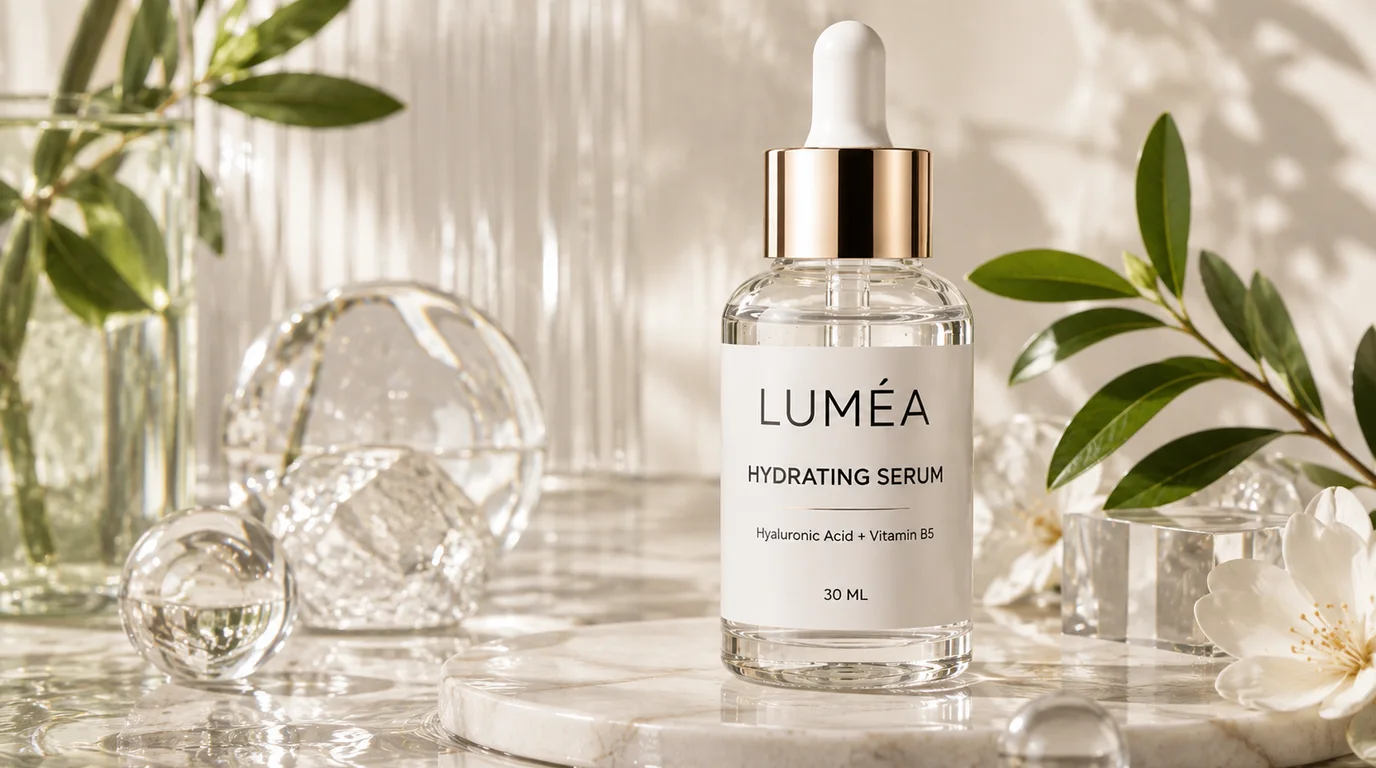
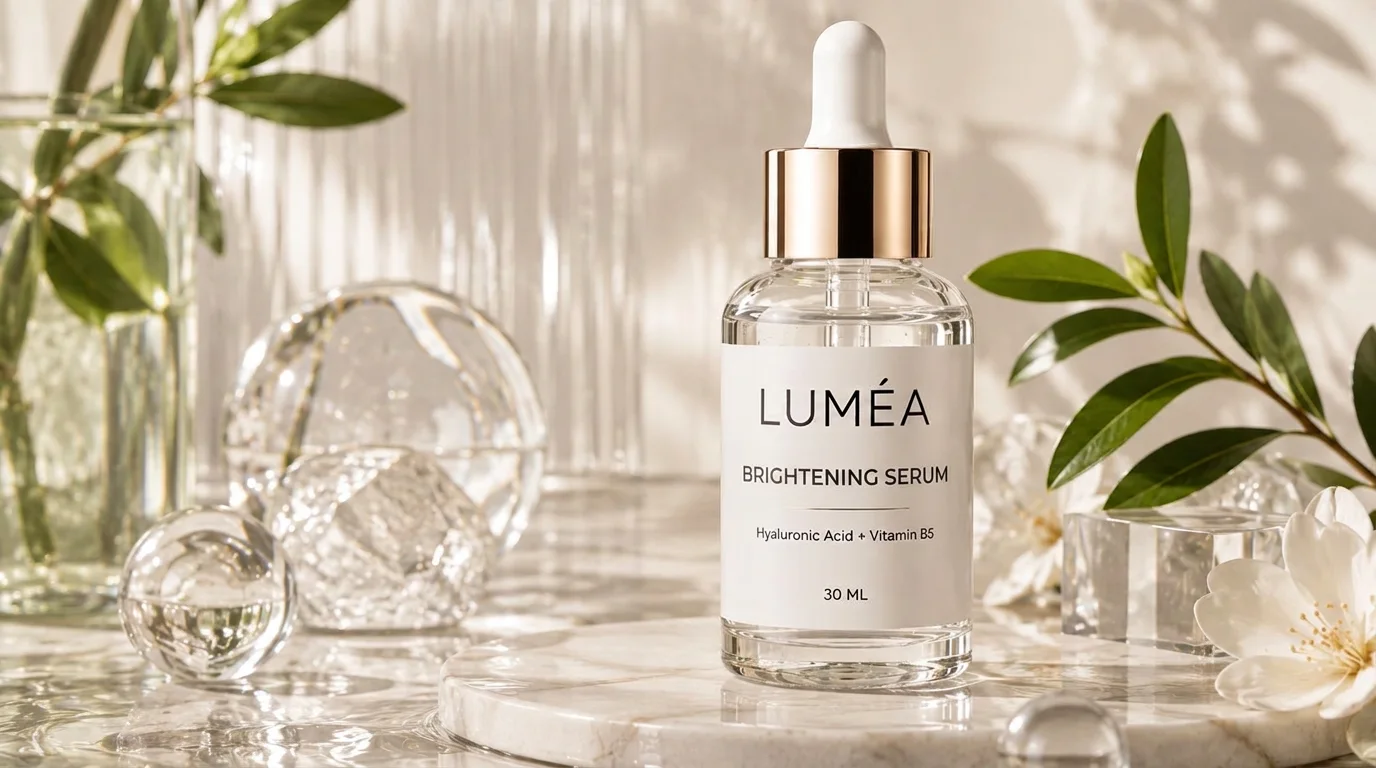
Generated with the current Image Text Editor workflow using the original uploaded product photo.
This example was generated with the current Image Text Editor workflow using the original uploaded serum photo. One product label was selected and replaced while the surrounding product remained the visual reference. The result is a flattened image, not an editable text layer. Results vary with image quality, text style, background complexity, and model output.
Contained product image updates
Update product titles, model names, variant names, or collection names in an existing product image.
Change prices, sale prices, discount percentages, and limited-time promotional offers.
Replace short benefit statements, specifications, ingredients, sizes, or feature labels.
Correct or update visible wording on packaging mockups, boxes, bottles, and product labels.
Refresh campaign headlines, seasonal messages, launch announcements, and call-to-action text.
Update the wording in storefront banners, marketplace graphics, product cards, and advertising images.
Four-step workflow
Upload a JPG, PNG, or WebP product photo. You can also start with one of the available product image examples.
Wait for the tool to detect visible text, then select the product title, price, label, or promotional message you want to change.
Type the new wording. Keep the replacement reasonably close to the original length when you want to preserve the existing layout.
Generate the updated image, compare it with the original, review the font, spacing, background, and product edges, then download the result.
Ecommerce workflows
Change a product price after a promotion, marketplace update, or pricing adjustment.
Reuse an existing product image by replacing holiday, summer, winter, or event-specific wording.
Fix spelling mistakes, outdated feature descriptions, incorrect sizes, or inaccurate labels.
Prepare a product graphic for another market by replacing short promotional text, then verify every character in the generated result before publishing.
Reuse the same product design for different colors, sizes, models, bundles, or promotional offers.
Pre-publish review
Product details and promotional terms need a human review even when the replacement looks convincing.
Preparing a live listing? Use the ecommerce image editing checklist before publishing the updated asset.
Know before you edit
AI image editing works best when the original text is clear and the target can be identified reliably. The generated result is a flattened image rather than an editable text layer.
Output is available at Standard 1K or HD 2K. Reflective packaging, very small lettering, dense labels, complex shadows, and text over product edges can still produce inconsistent changes. Always review spelling, product information, packaging details, and the full image before publishing.
Product photo questions
These answers reflect the current editor, account allowance, and privacy policy.
Yes. Upload the product image, wait for the visible text to be detected, select the wording you want to change, and enter the replacement. The tool generates a new image rather than editing an original design layer.
You can select an existing price and replace it with a new price. Always check the currency symbol, decimal placement, font size, alignment, and promotional terms before publishing.
The tool uses the visible text as a visual reference and attempts to create a similar result. Because a finished image does not contain the original font file, an exact font match cannot always be guaranteed.
The tool is designed to modify the selected text area while preserving the surrounding image as much as possible. Complex textures, shadows, reflections, or text placed directly over a product may require additional review.
The editor accepts JPG, PNG, and WebP product images up to 12 MB. PDF files are not supported.
Packaging text can be edited when it is clearly visible. Curved labels, reflective packaging, very small text, or strongly distorted lettering may produce less consistent results.
Eligible new accounts receive 1 free credit, available for one Standard 1K result, plus capacity for 3 image scans. Paid one-time credit packs start at $4.99 for 12 credits; monthly and yearly subscriptions are also available.
Original uploads are stored privately for up to 24 hours. Completed flattened results and related private diagnostics are kept for up to 7 days unless you delete them sooner. Your uploaded image and relevant text instructions are sent to the providers needed to perform the edit. Read the Privacy Policy.
Start with the finished product image
Upload a product photo, select the text you want to update, and create a new version without rebuilding the entire design.
Edit Product Photo Text