Misspelled Words
Correct a short word that contains one or two wrong, missing, or repeated letters.
AI image text correction
Keep the AI-generated image you like and correct one readable text error instead of creating a completely new scene. Upload a JPG, PNG, or WebP, select the broken text block, enter the intended wording, compare the generated result, and download a flattened PNG.
The workflow works best for short, visible mistakes such as missing letters, misspellings, incorrect numbers, or incomplete headlines. Completely unreadable decorative lettering may not be detected reliably.
Choose a clear image containing a short, readable text error that you want to correct.
Real before and after
Compare the original AI-generated coffee poster with the flattened correction produced by the current workflow.
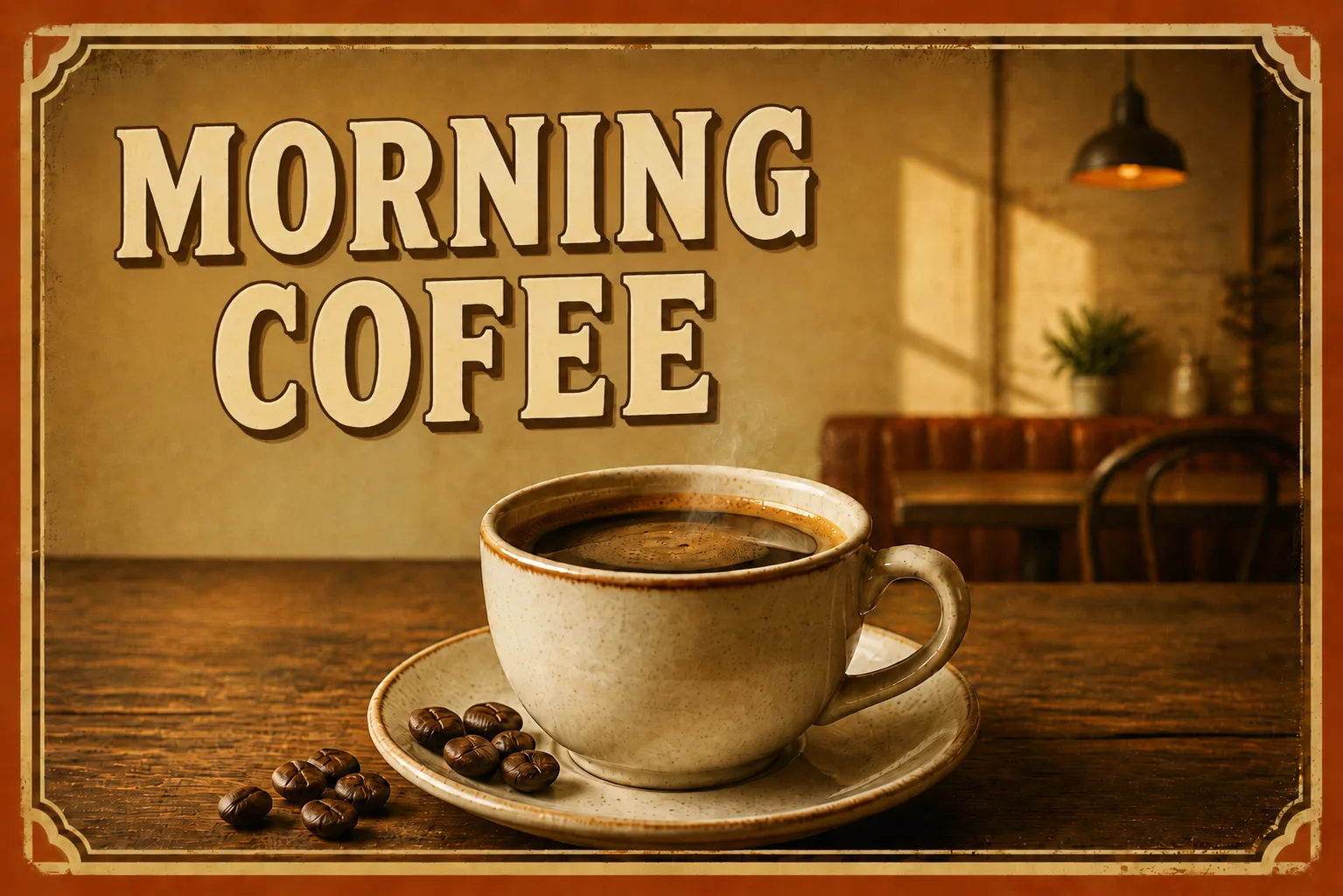
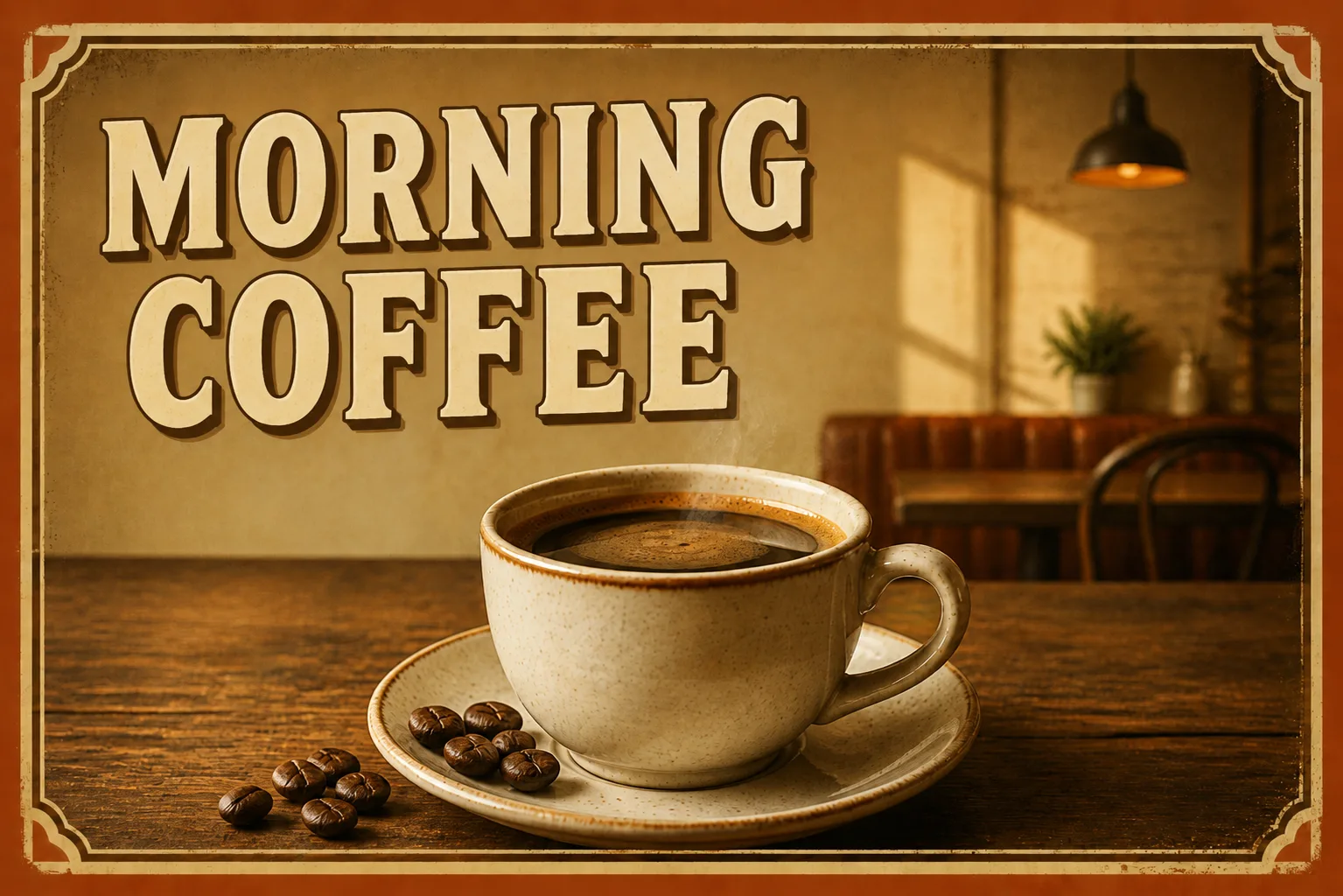
This example was generated with the current Image Text Editor workflow using the original uploaded AI-generated poster. The readable typo was selected and replaced while the existing image remained the visual reference. The result is a flattened image, not an editable text layer. Results vary with image quality, text style, background complexity, and model output.
Focused readable corrections
Correct a short word that contains one or two wrong, missing, or repeated letters.
Repair an incomplete headline, label, sign, or title when most wording remains readable.
Replace a wrong date, quantity, year, model number, or short price in an authorized image.
Correct a readable title on an AI-generated poster, flyer, social graphic, or key visual.
Repair a short visible label on an AI-generated product mockup or packaging concept.
Correct short readable wording on AI-generated signs, menu boards, displays, and storefront concepts.
Choose the smaller revision
Use focused text correction when subject, composition, colors, lighting, and background already work and only one short text area is wrong. Generate a new image when the scene itself needs broader changes.
| Focused AI Text Correction | Generate a New Image |
|---|---|
| Starts from the image you already approved | Starts from a new generation request |
| Targets one selected readable text area | Recreates the full scene |
| Uses current composition as reference | Composition, objects, and lighting may differ |
| Best for a contained text mistake | Better when the whole image needs revision |
| Produces a flattened corrected image | Produces a separate new generation |
Four-step correction workflow
Upload the highest-quality JPG, PNG, or WebP available. Clear letter edges and surrounding detail make readable errors easier to detect and replace.
Choose the full misspelled word, label, headline, or short phrase. Do not select only the missing or incorrect character.
Type exactly what should appear in the final image. Keep the replacement concise and reasonably close to the original visual length when possible.
Generate the corrected image, compare it with the original, check every character and nearby detail, then download the flattened PNG.
Choose a practical target
Detection comes first
Some AI-generated lettering is not a misspelled word at all. It may be a decorative arrangement of shapes that only resembles writing. The current workflow first detects visible text and lets you select one detected block. If lettering is too abstract to be recognized as a coherent text area, it may not appear as a usable selection.
Readable misspellings, missing letters, incorrect numbers, and incomplete short phrases are stronger targets than completely unreadable pseudo-text.
Review more than the corrected word
Read every generated character and confirm capitalization, punctuation, numbers, and approved wording.
Check for leftover strokes, outlines, shadows, or fragments from original broken text.
Review visible letter shape, weight, width, color, outline, shadow, angle, and treatment.
Inspect gradients, textures, signs, packaging surfaces, and nearby details for patches or smudges.
Check nearby objects, faces, logos, borders, icons, and other wording for unintended changes.
Review enlarged and at the actual thumbnail, mobile, social, marketplace, or full-size destination.
Flattened output
The correction is generated inside a new flattened image. The downloaded PNG does not contain a separate text box, editable font, or controls for changing size, color, spacing, or position afterward. Use the comparison to review the visible result before downloading.
Limits and authorization
Results are most consistent for short, readable text with clear letter boundaries. Completely unreadable pseudo-text, very small lettering, curved words, reflective surfaces, dense packaging, heavy perspective, complex textures, and long replacement copy can be less predictable.
The generated image may still contain a spelling error, altered letter width, traces of original shapes, an inconsistent background patch, or changes to nearby details. The current workflow focuses on one selected text block per generation.
Only upload AI-generated images you own or have permission to modify. Do not use the tool to create deceptive versions of identity documents, official records, receipts, certificates, tickets, financial evidence, or materials used to prove facts or authorization.
AI text correction questions
Yes. Upload the finished image, select one readable text error, enter the intended wording, and generate a new flattened result using the existing image as the visual reference.
Readable misspellings, missing letters, repeated letters, incorrect numbers, and incomplete short phrases are the strongest targets for the current workflow.
Not always. Completely abstract lettering may not be detected as a coherent text block. The workflow is more reliable when most of the intended word remains visible and readable.
The tool does not connect directly to a specific image generator. You can upload a finished JPG, PNG, or WebP image that you own or have permission to edit.
Exact preservation cannot be guaranteed. The workflow focuses on the selected text area, but you should review nearby objects, textures, lighting, borders, and unrelated wording before publishing.
Visible lettering is used as a visual reference, but an AI-generated image does not provide an original font file. The result may approximate visible font style rather than reproduce an exact typeface.
The current workflow handles one selected text block per generation. Correct and review separate errors one at a time.
No. The result is a flattened image rather than an editable text layer.
The editor accepts JPG, PNG, and WebP images up to 12 MB.
Eligible new accounts receive 1 free credit, available for one Standard 1K result, plus capacity for 3 image scans. Paid one-time credit packs start at $4.99 for 12 credits.
Original uploads are stored privately for up to 24 hours. Completed flattened results and related private diagnostics are kept for up to 7 days unless you delete them sooner. Your uploaded image and relevant text instructions are sent to the providers needed to perform the edit. Read the Privacy Policy.
Keep the scene you like
Upload the AI-generated image you want to keep, select one readable text error, enter the correction, and review the flattened result before downloading.
Upload an AI-Generated Image